Sheafly 2 · Mac, iPhone, and iPad

One polished PDF.
Every chapter still in reach.

Sheafly combines PDFs and images, rebuilds the linked Table of Contents, and gives you precise control over every page — without sending a document off your device.

One purchase. No subscription. Every feature included.
Fully accessible with VoiceOver and a hardware keyboard.
Requires macOS 14 or later, or iOS/iPadOS 17 or later.

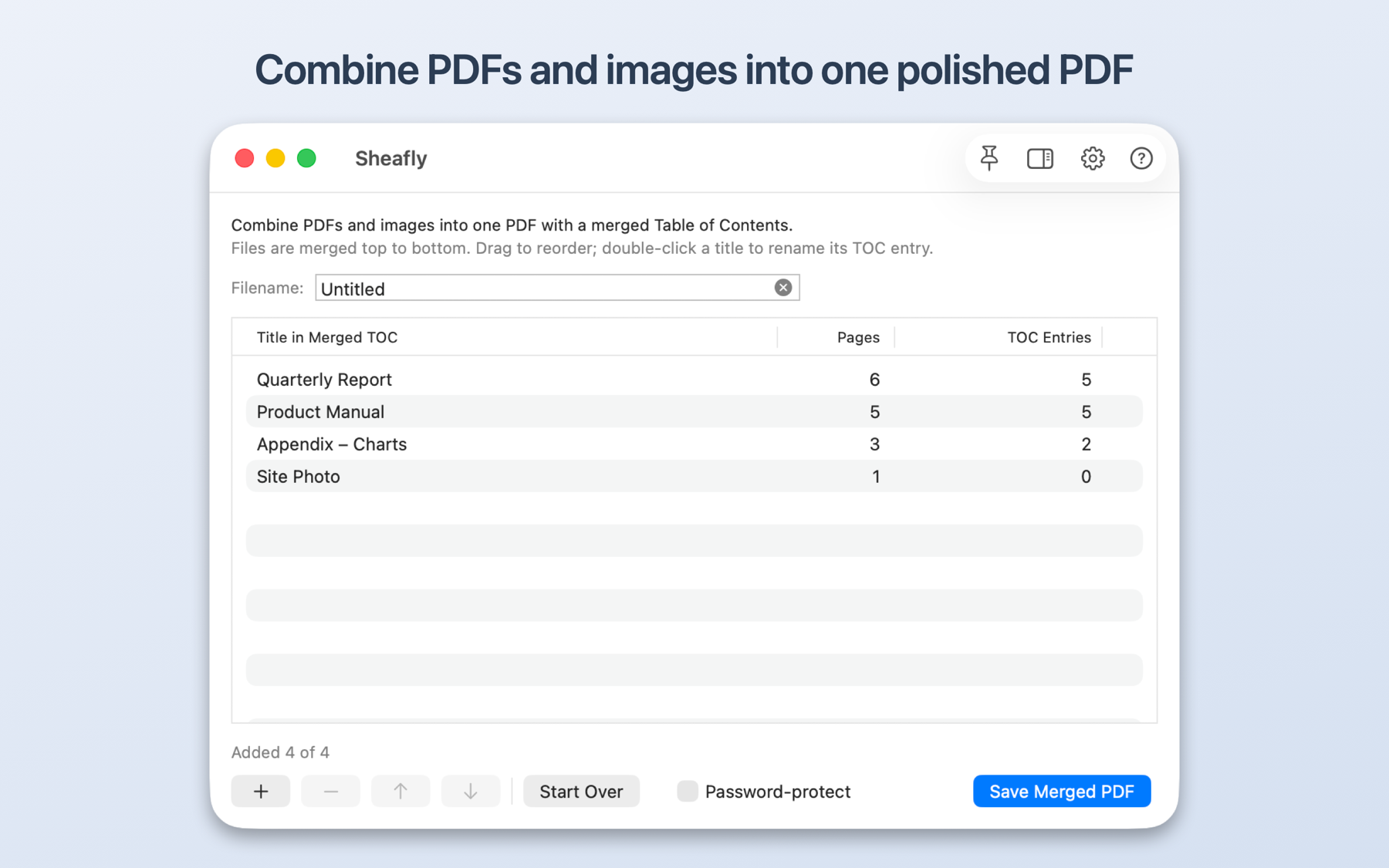
Sheafly on Mac with four PDFs and images ready to combine
macOS iPhone + iPad
Tables of Contents stay linked Every bookmark is rebuilt for its new page.
100% on your device No account, analytics, ads, or cloud processing.
Made for every Apple screen One purchase for Mac, iPhone, and iPad.
Accessible by design VoiceOver, hardware-keyboard control, and cues beyond colour.

The difference is structure

A merge should be more than a pile of pages.

Most PDF mergers discard bookmarks or leave them pointing at the wrong place. Sheafly reads every source outline, preserves its nested structure, and retargets each destination in the finished PDF.

Your Table of Contents, your way

See it. Edit it. Trust it.

Review the exact combined TOC before saving. Rename, remove, indent, outdent, or add entries by hand — with real output page numbers beside them.

You can also add a printed, linked Table of Contents page to the front of the PDF, with selectable text and links that jump straight to each section.
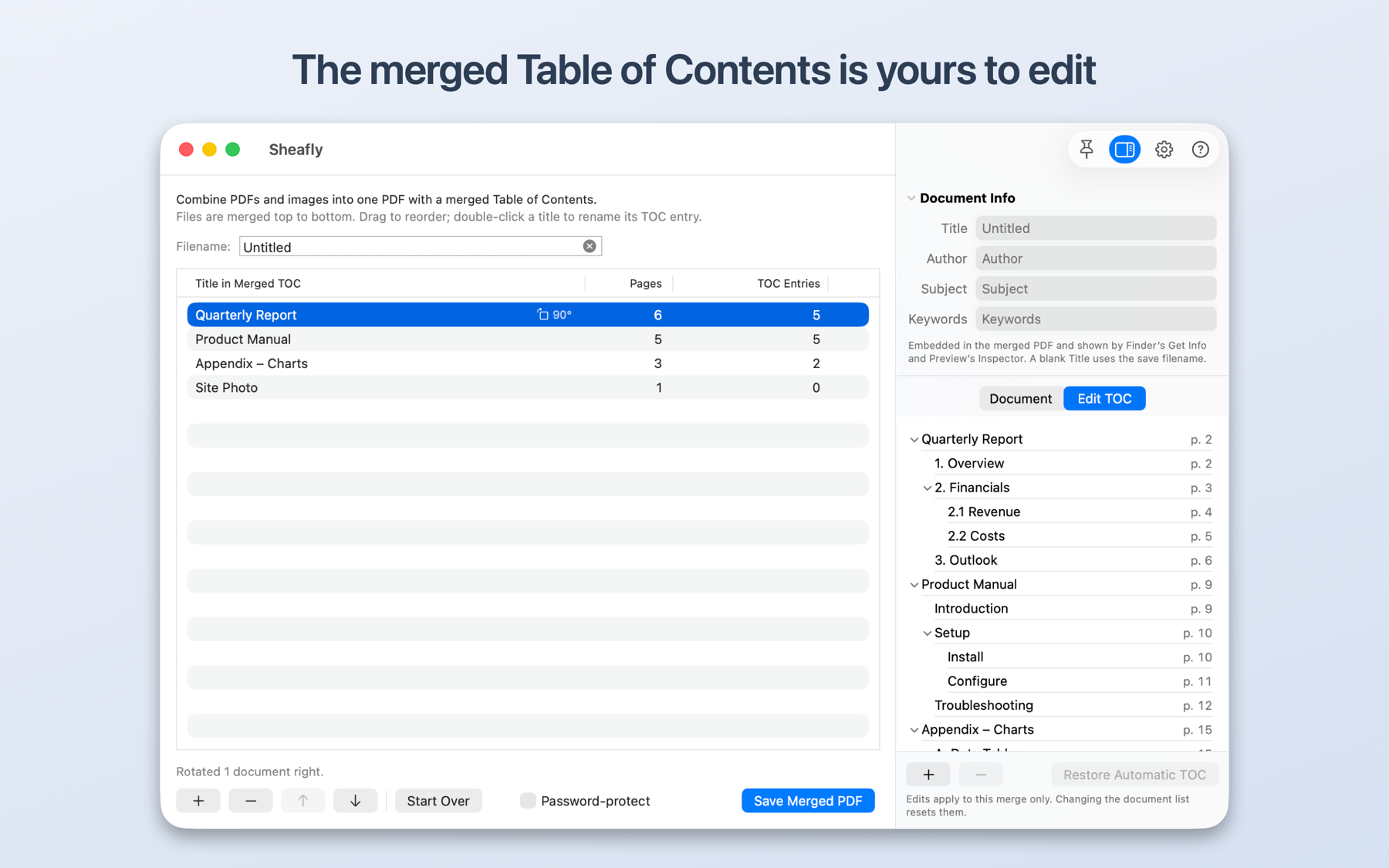
Sheafly on Mac editing a nested Table of Contents with page numbers

From source files to finished PDF

Everything the document needs. Nothing it doesn’t.

01

Control every page

Reorder documents, choose pages one by one, enter custom page ranges, and rotate a whole document or a single scan. Your originals are never changed.

  • PDF, PNG, JPEG, TIFF, HEIC, and more
  • Per-page include, exclude, and rotation controls
  • Quick Look on Mac; full-screen page viewing on iPhone and iPad

02

Make scans searchable

On-device text recognition adds a selectable, searchable text layer to image-only pages — useful for search, copy, and VoiceOver. Recognition is remembered with the document, so later previews and saves stay quick.

03

Finish it professionally

Add continuous headers, footers, page numbers, dates, and crisp watermarks. Set document info, insert separator pages, and reduce file size for sharing.

04

Protect the result

Open locked source PDFs, password-protect the finished file, and control printing, copying, and editing permissions.

05

Clean up the content

Keep, flatten, or remove comments and markup. Optionally remove links and form fields, or strip identifying metadata before sharing.

06

Split by chapter. Rebuild later.

Turn one PDF into a set of chapter PDFs using its top-level TOC entries. Each chapter keeps its nested entries linked to the right pages, ready to edit and merge again.

One app, shaped for each device

Native on Mac. At home on iPhone and iPad.

Sheafly carries the same core merge and finishing tools across every platform, with an experience designed for the screen in front of you.

On the Mac

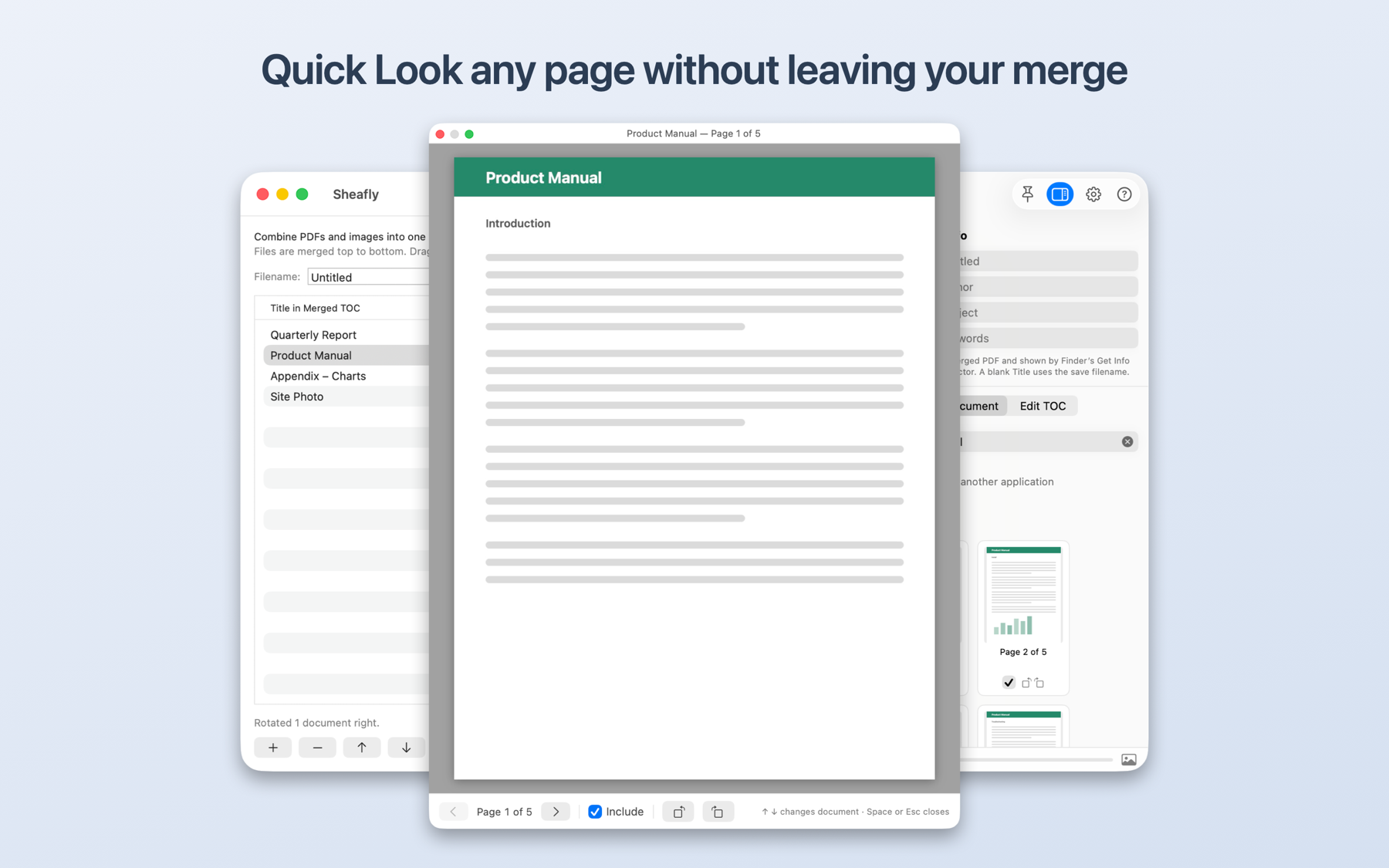
Multiple windows, real document sessions, and Quick Look.

Open several merges side by side. Double-click a .sheafly session to give it its own window, let autosave keep it current, and press Space to inspect any document or page without losing your place. Resize the thumbnail grid whenever you want a closer look.

Quick Look previewing a PDF page above an active Sheafly merge on Mac
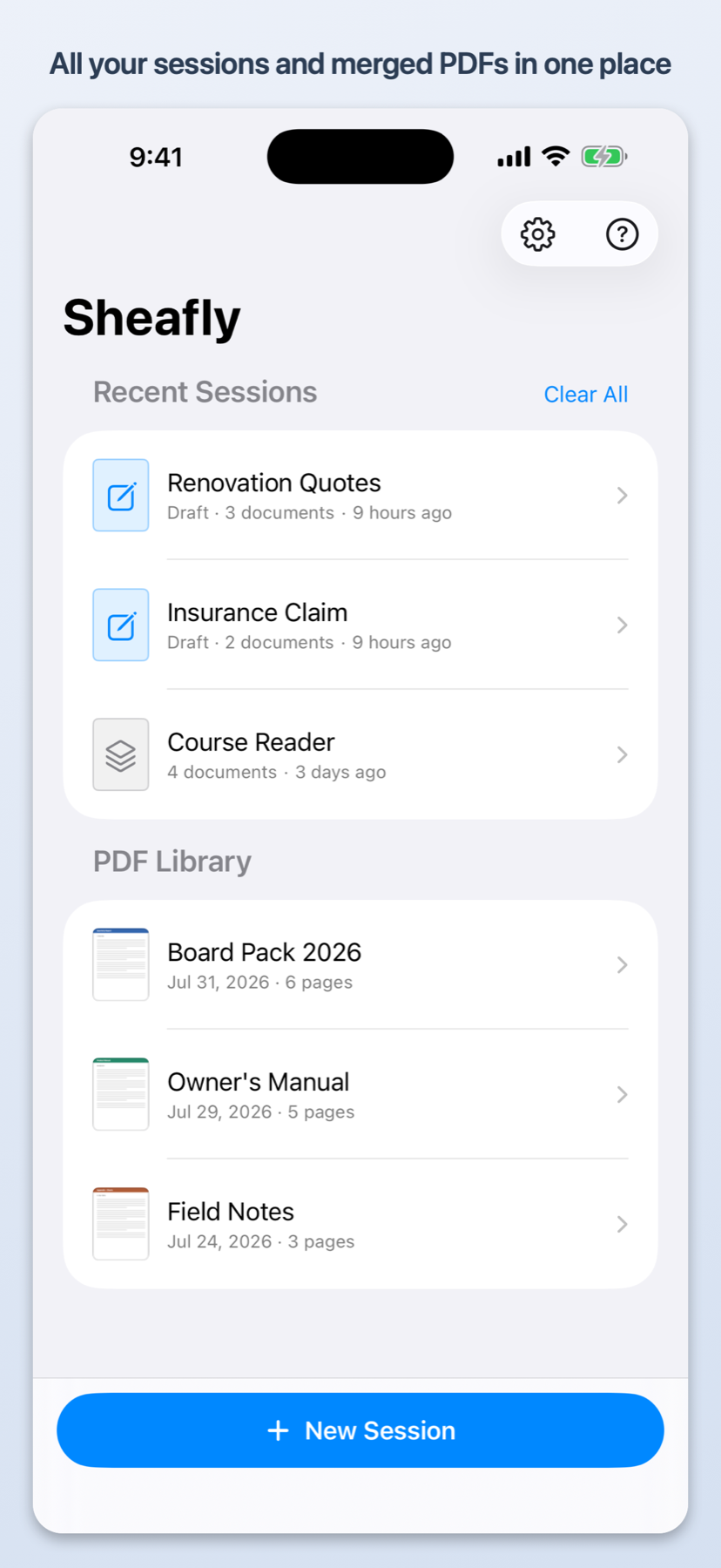
Sheafly library on iPhone with recent sessions and merged PDFs
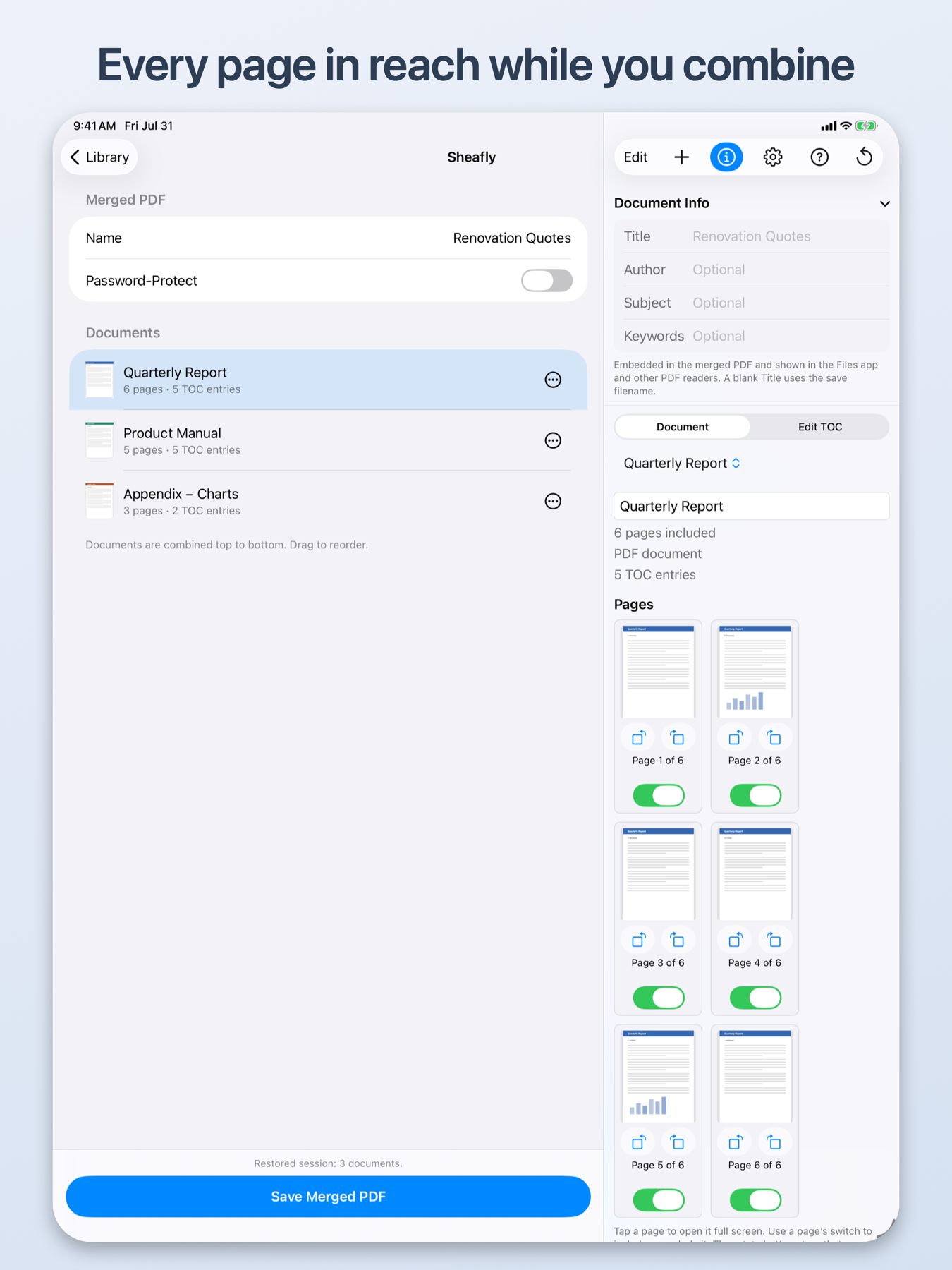
Sheafly on iPad with documents and per-page controls visible side by side

On iPhone and iPad

Your PDF library, drafts, and reader travel with you.

Keep several in-progress sessions and let each one save itself. Open finished PDFs in the built-in viewer, search their text, and jump through the Table of Contents on iPhone or in an iPad sidebar.

  • Share any draft or saved session as a .sheafly file
  • Open the same session later on iPad or Mac
  • Reach your library through Sheafly’s folder in the Files app
  • Use the complete app with a hardware keyboard and VoiceOver

Private by design

Your documents stay yours.

Everything happens locally on your device, including text recognition. Sheafly has no network access, user accounts, analytics, advertising, cloud processing, or third-party code.

It uses Apple’s public frameworks, works inside the App Sandbox, and touches only the documents you choose. Original files are never modified.

Read the privacy policy
Sheafly app icon

No subscription. No feature tiers.

Bring the loose pages together.

Buy Sheafly once and use every feature on Mac, iPhone, and iPad.

Download on the App Store